Excel training built for the way government teams work with data
Taught by working analysts and Microsoft-certified Excel experts, and delivered your way: onsite, live online, or self-paced.
Trusted across the federal government
















Agency seals reflect organizations Graduate School USA has trained. They do not imply endorsement by, or affiliation with, any federal agency.
Delivered your way
Every format draws on the same practitioner-built Excel curriculum and instructors who have done the work. Choose what fits your headcount, timeline, and budget, or combine them.

Live online
Send people to scheduled Excel Beginner, Intermediate, or Advanced classes, live online or in Washington, DC.
- Ask questions and work real cases live
- Cohort dates published for every program
- One free retake within a year

Self-paced eLearning
Online Excel courses staff finish between reporting cycles, including VBA, AI for Excel, and exam prep.
- No cohort to wait for
- Same CEUs and credential at the end
- Attend the live class free within a year
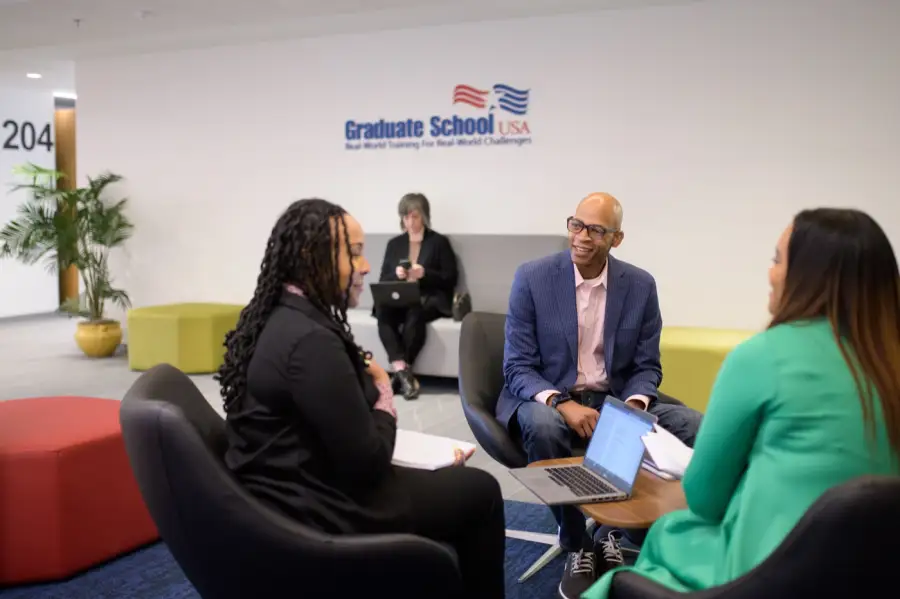
Onsite for your team
We teach Excel against your team's own workbooks, from PivotTables and VLOOKUP to Power Query cleanup.
- Delivered on your schedule
- Tailored to your policies and real cases
- One agreement covers the cohort

Private group training
Bring a cohort onsite and the class is built around the workbooks your office already maintains: the recurring status report, the budget tracker, the file three people rekey by hand each month. Staff practice PivotTables, Power Query, and VBA on those files instead of sample data.
- Any course or certificate in our Excel catalog, delivered onsite, live online, or blended
- A new course built to your specification when nothing off-the-shelf fits
- Scheduled around your calendar, for a cohort of any size
- Rostering, progress, and completion reporting for the whole group
Open enrollment
Excel levels vary person to person, so one analyst can go to Excel Intermediate while a colleague takes Excel Advanced or the Excel VBA Course. Scheduled public sessions run throughout the year at every level, beginner through automation.
- A published schedule across the Excel curriculum, entry to advanced
- Live online, or in person at 1050 Connecticut Ave NW in Washington, DC
- No minimum headcount and no setup: register and go
- The same instructors and materials as our private cohorts

Most-requested Excel courses
A place to start. Each of these runs onsite, live online, or self-paced, and every one is part of the same practitioner-built curriculum you will find in full below.
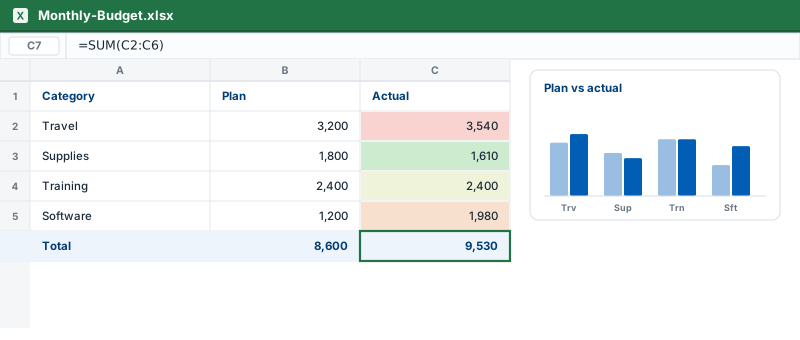 Excel BeginnerBuild a strong foundation: navigate spreadsheets, write formulas and functions, format cleanly, and turn data into line, column, and pie charts. No prior Excel needed.CoversFormulas and functionsChartsConditional formattingAutoSumTablesView course
 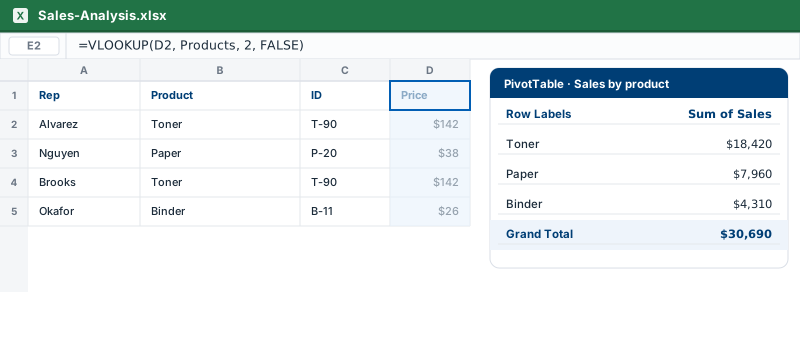 Excel IntermediateThe level where Excel gets powerful. Master VLOOKUP, PivotTables, nested IF statements, and SUMIFS to look up, summarize, and analyze real datasets.CoversVLOOKUPPivotTablesIF statementsSUMIFSData validationView course
 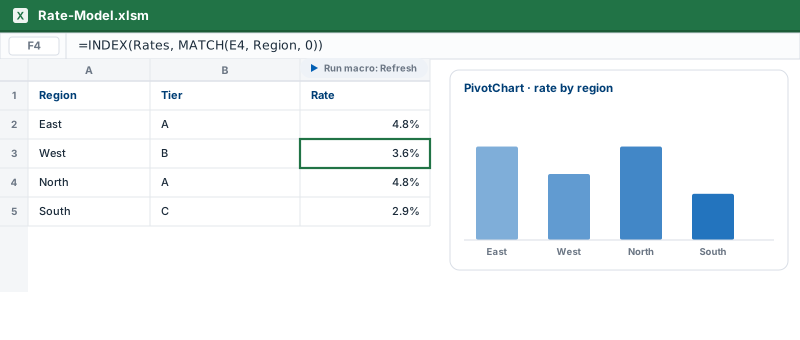 Excel AdvancedAdvanced tools for power users: INDEX-MATCH, Pivot Charts, macros, and What-If analysis with Goal Seek and Data Tables to model and automate the work.CoversPivot ChartsMacrosINDEX-MATCHGoal SeekDynamic arraysView course
 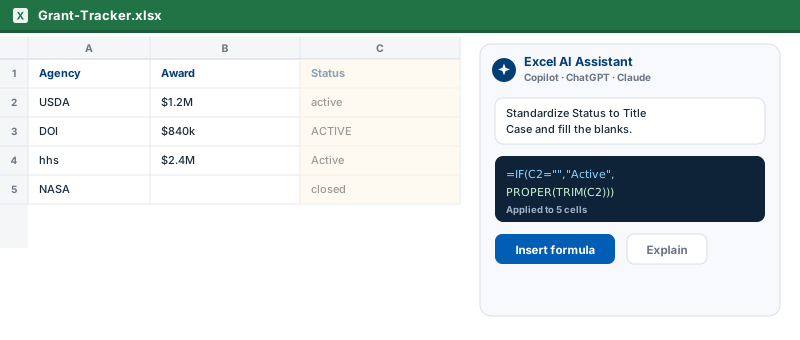 AI for ExcelPut Copilot, ChatGPT, and Claude to work on the busywork: draft complex formulas, clean messy datasets, troubleshoot errors, and generate VBA macros without writing them from scratch.CoversAI-written formulasData cleaningFormula troubleshootingVBA generationEffective promptingView course
 The full Excel catalog
From first formulas to PivotTables, Power Query, VBA automation, and financial models, these hands-on courses meet your team at any skill level. Pick a single class, a bootcamp, or a certification track that ends with a proctored Microsoft exam.
Core Excel skills
Data analysis and reporting
Automation and modeling
Certification prep
Certificate programs
This page offers two credentials, both exam preparation rather than a tiered ladder: Excel Specialist Certification Online for the Microsoft Office Specialist Excel Associate exam, and Excel Expert Certification Online for the Expert exam.
Excel Specialist Certification Online
Beginner through advanced Excel plus exam prep and the proctored Microsoft Office Specialist: Excel Associate exam with one free retake.
View the certificateExcel Expert Certification Online
Formulas, PivotTables, macros, and advanced analytics, plus four hours of private tutoring and the proctored Microsoft Office Specialist: Excel Expert exam with one free retake.
View the certificateVetted procurement, right from the GSA Schedule
Graduate School USA is a GSA Multiple Award Schedule contract holder, allowing federal agencies and other qualifying organizations to confidently purchase our services.
- GSA MAS contract 47QRAA24D004K, SINs 611430 (professional training) and 541611 (management/administrative consulting)
- Held as American Public Training LLC d/b/a Graduate School USA; UEI LA83MCFN1ST3; CAGE 99AA0
- We work with your training office on the paperwork, whether a Schedule order, purchase order, or an SF-182.
An established federal training institution
Graduate School USA's Excel curriculum is designed and taught in-house by practitioners who have turned spreadsheets into real analysis for agencies, not licensed from a generic library.
- Founded 1921 as the USDA Graduate School; 500,000+ government employees trained across 125+ agencies
- ACCET-accredited (ACCET is a U.S. Department of Education-recognized accreditor)
- Center for Leadership and Management runs ECQ-aligned executive development, including the Executive Potential Program since 1995
- 200+ federally experienced subject-matter experts across 400+ courses and certificates
- Available on an active GSA MAS Schedule (SINs 611430 and 541611)
Questions agencies ask
The answers training officers and program directors ask for most, in one place.
How does my agency buy training from Graduate School USA?
Can we pay with an SF-182?
What is the difference between private group training and open enrollment?
Can employees train self-paced, and still take the live class later?
Can courses be tailored to our agency?
Can training be delivered virtually or in person?
What if an employee needs to repeat a class?
What's new in your Excel training?
Our staff range from people who have never built a PivotTable to heavy spreadsheet users. How do we place them in the right course?
Does the certification track include the Microsoft exam itself, or only the preparation?
Plan your agency's Excel training
Tell us your topics, headcount, and timeline, and we'll propose the right mix for your team.